
WIN11右键不习惯,而且分成了两个层级不方便。
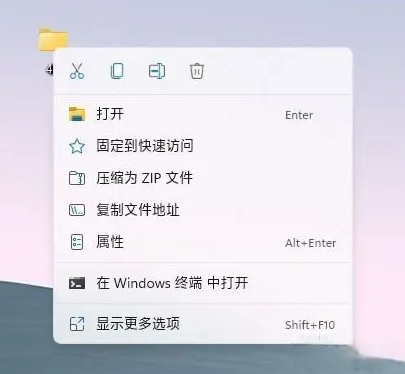
@echo off

:start

cls

echo,

echo 修改右键菜单模式

echo,

echo 1 穿越到Windows 10默认模式

echo,

echo 2 恢复为Windows 11默认模式

echo,

echo 0 什么也不做,退出

echo,

echo,

choice /c:120 /n /m:"请选择要进行的操作(1/2/0):"

if %errorlevel%==0 exit

if %errorlevel%==2 goto cmd2

if %errorlevel%==1 goto cmd1

exit

:cmd1

reg.exe add "HKCU\Software\Classes\CLSID\{86ca1aa0-34aa-4e8b-a509-50c905bae2a2}\InprocServer32" /f /ve

taskkill /f /im explorer.exe

start explorer.exe

exit

:cmd2

reg.exe delete "HKCU\Software\Classes\CLSID\{86ca1aa0-34aa-4e8b-a509-50c905bae2a2}" /f

taskkill /f /im explorer.exe

start explorer.exe

exit
本文作者:ZKCOI
文章名称:WIN11右键修改批处理
文章链接:https://www.zkcoi.com/365up/skills/2402.html
本站资源仅供个人学习和交流,如若转载,请注明出处,详见《免责声明》。
 微信扫一扫
微信扫一扫  支付宝扫一扫